Designing in public, iteration 3
This iteration: updating the Now page, moving the Designing in public message to a temporary new home, and adding a recent posts block to the home page.
In iteration 2, I made a small set of design tweaks that had a big impact on readability. These changes aren't final. I'm "sculpting" a bit. Again, I'm not maintaining a todo list; things stand out to me while looking at the website as a whole, and I just decide on what I'd like to do next, and I'm jotting down some of my thinking and methods as I go.
Compared to iteration 1, iteration 2's improvements to text column width and line-height make a big difference.
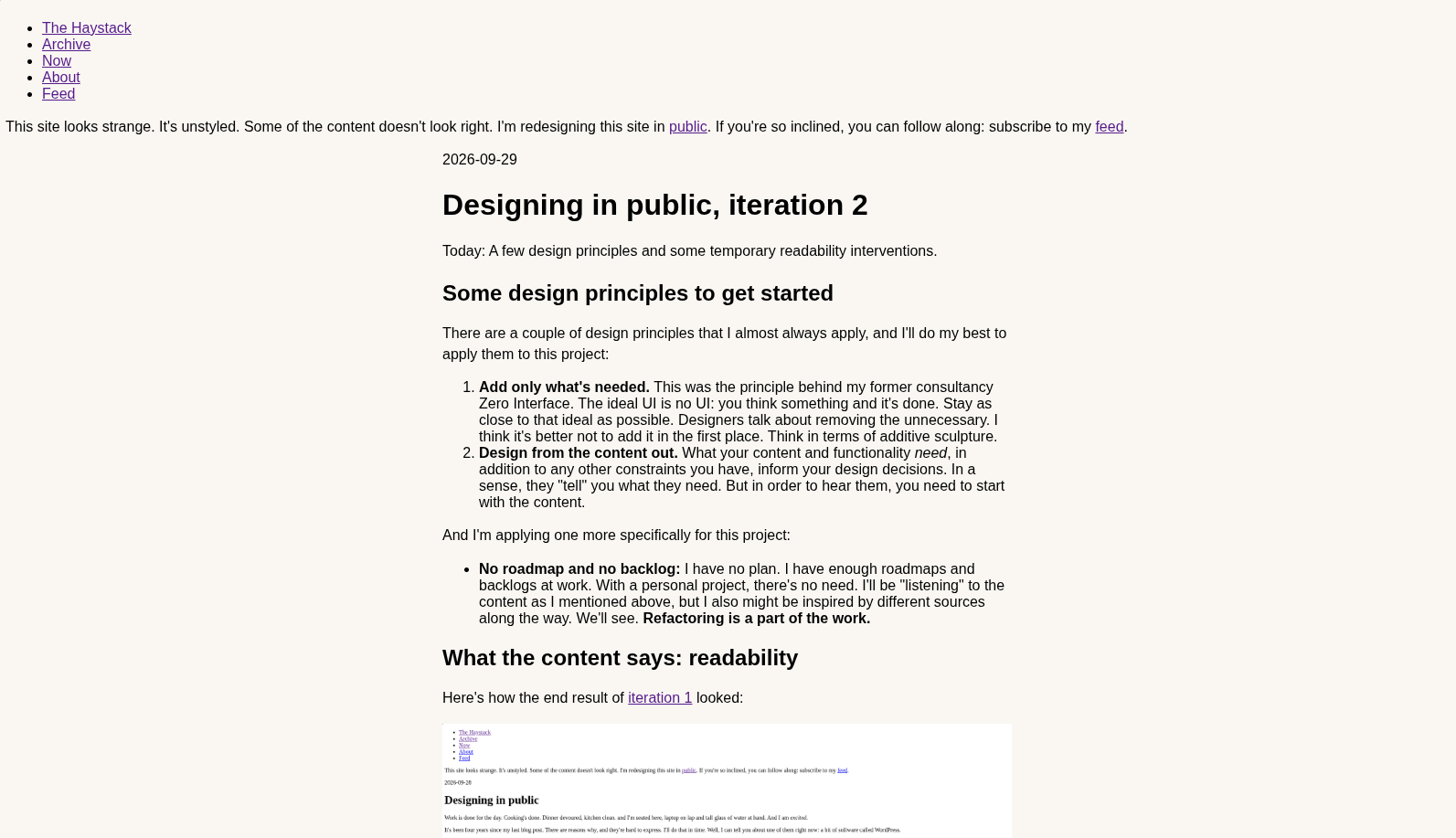
And since showing code is a normal part of the website, using the Emacs package htmlize and a little bit of CSS yields passable syntax highlighting.
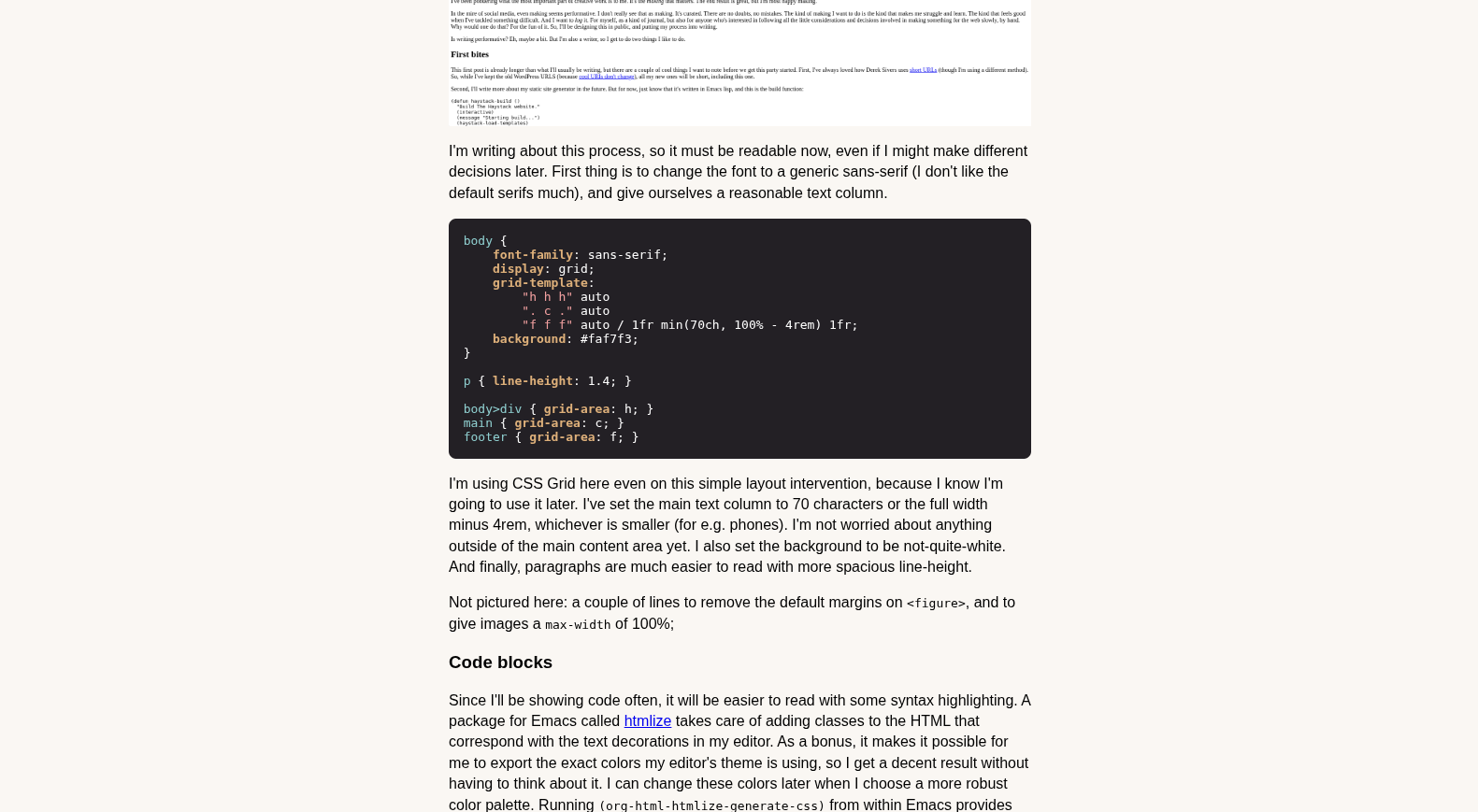
The colors generated by htmlize came directly from the color theme I'm currently using in my text editor: ef-dream, one of Protesilaos Stavrou's wonderful ef-themes.
Updating the Now page
My Now page wasn't really "now", as I wrote it five years ago. (That unsettles me in more ways than one. Also, dates are important.) Derek sent me multiple emails (likely automated) asking if I was ready to update it. Apparently, I was not. But now I am.
What I started debating, is whether I should keep old Nows. It appears that Derek doesn't do it, but I saw that Maggie Appleton does, which made me pause. Her approach creates a timeline.
After a brief internal debate, I settled on Now having a single purpose: to talk about what I'm doing right now, and replacing the content with each update. While I enjoy Maggie's timeline approach, I prefer the pointed purpose.
Putting the designing in public message in its place
I won't be writing this series forever. (Or will I? Last time I only did two parts 🙈.) And while I'm doing it, the message telling everyone why the site's content and design is wonky needs to be somewhat prominent, but also out of the way. A cheap way to get that hierarchically "correct" is to put it in a banner of sorts up against the top of the page. Putting it there would be pretty standard, I'd say, but there's good reason for it. Putting a banner slightly lower puts space all around it. That space would create a form of emphasis, and likely more than it deserves. Against the top of the page, there's a slight blending with the browser chrome, which hugs it on three sides. This gives the balance I want between attention and a sense of being part of the periphery. As for the color, I haven't chosen a palette yet. A color from the code syntax highlighting should work well.
.banner {
    margin: 0;
    background: #8fcfd0;
    color: contrast-color(#8fcfd0);
    text-align: center;
    padding: 0.5em;
}
The CSS contrast-color function returns either white or black, whichever contrasts enough with the background. Here, it returns black. The text is centered, and we give it a bit of padding.
I moved the banner up in the HTML, and I decided to give it its own grid-area.
  body {
      [...]
      grid-template:
          "b b b" auto
          "h h h" auto
          ". c ." auto
          "f f f" auto / 1fr min(70ch, 100% - 4rem) 1fr;
      [...]
  }

.banner { grid-area: b; }
Manipulating a grid with the template syntax is designer-intuitive and quick. What I like most about it is that it feel more natural to me than the row and column syntax. That feels too much like a carryover from tables (though it is useful at times).
The hard part: recent posts
As I mentioned in iteration 1, one of my goals with this project is to learn Emacs lisp for the fun of it. I have a long way to go. A simple function might have me searching docs and the web for way too long, only to have me forget exactly what something does or why I chose to do it that way.
As I write this, there are two places for which I collect a list of posts: the archive and the feed. So I write a function that does almost the same thing, but takes only the last n number of posts. Here's the bit from the archive layout function:
(defun haystack-layout-archive (posts)
  "A layout that loops through POSTS to create a full archive page."
  (let* ((only-posts (cl-remove-if-not #'haystack--post-p posts))
         (sorted-posts (sort only-posts (lambda (a b)
                                          (string> (plist-get a :date)
                                                   (plist-get b :date)))))
         (items-html (mapconcat #'haystack--format-archive-item sorted-posts "\n")))

    [...]
This takes a list of content (which I now see that I've annoyingly already called "posts"; I'll fix it later), applies the predicate haystack--post-p to make sure it's only a list of posts, and then sorts the list by descending date. Then the list is formatted into the HTML I want.
Any programmers out there will think what I just realized: I'm repeating the creation of a list of posts two times, once in each function that needs it (archive and feed). Doing it for recent posts makes that three times. This is not DRY. It's also why I don't call myself a programmer. The problem is, now that I know this, I'm doomed to eventually make a make-a-post-list function and have the other functions make use of that. Should I do it now? Nope, don't want to. Oh, but wait… if I don't do it now, that means generating the website creates three lists and sorts all three. Dammit!
(defun haystack--sorted-posts (db)
  "Return a newest-first list of posts."
  (sort (copy-sequence (cl-remove-if-not #'haystack--post-p db))
        (lambda (a b)
          (string> (plist-get a :date) (plist-get b :date)))))
This is essentially the repeated code, but put into a function, and using a copy of the list instead of changing the original list. This allowed me to remove the code from the functions that build the archive and feed. db is basically a list of all the site content.
Now that this function is separate, I created a global variable for db and then a function for recent posts, so I can use those from the template.
(defun haystack--recent-posts-block (posts n)
  "Return an HTML list of N most recent POSTS."
  (concat "<ul class=\"recent-posts\">\n"
          (mapconcat #'haystack--format-archive-item
                     (take n (haystack--sorted-posts posts))
                     "\n")
          "\n</ul>\n"))
I read that there's an Emacs lisp convention for function names. I'm still getting used to it. But the convention seems to be that the first part is a namespace (here, that's haystack, so the function is related to this website), and if you use one dash after that, the function is public and can be used outside of the package. (For example, I can call it from within my editor while I'm working.) Two dashes means it's an internal helper, and only used within the context of the package.
So now, the home page template can call the function:
(haystack--recent-posts-block haystack--db 3)
Oh, by the way, to compress the images I'm including here, I just run optipng on them from within the images directory:
optipng -o2 public02*
Also added a missing space between the date and the post link in post lists.
Until iteration 4!